 Get Hooked!
The creek nobody measures, read from the river that does.
Lakes change over days. Rivers change overnight — a storm fifty miles upstream rewrites where fish hold before you've finished the coffee. So the app treats a river as a system: the gage, the water it measures, and what today's level means against the date.
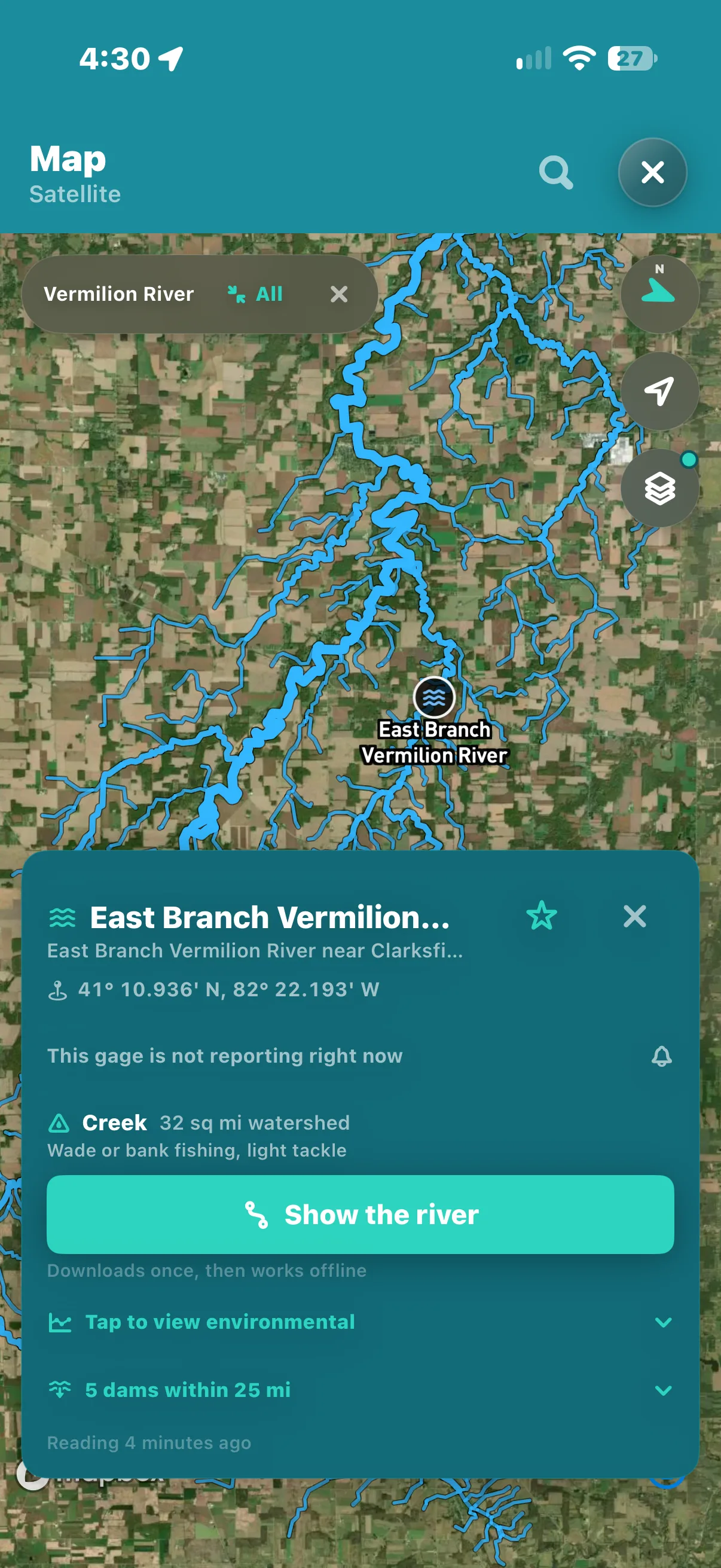
The whole river
Tap a gage. See what it measures.
A gage is a number on one bend. Show River draws the water behind that number — the main stem and every feeder, each sized by how much it carries — so the creek nobody measures is read from the river that measures it.
Upstream, traced
Every tributary above the gage, drawn on the map with its size — from 24.5 million mapped stream segments, so the feeders are real, not guessed.
On the device
Once loaded, the river is on the phone. It draws again with no signal, on the bank where there isn't one.
The card folds away
The gage card gets out of the way so you look at the river rather than at the card.
Gages, live
Flow and gage height for the gages on your water, on the phone before you need them — anything showing its age is saying it couldn't refresh, not guessing.
High or low for the date
A flow only means something against its usual
Eight hundred cubic feet a second is a blown-out April or a bony August. Where the app has the history, it says whether today is high, low or ordinary for the time of year — and what that tends to mean for the fishing.
Against the date
Today's level read against the river's own record for this week of the year, not against a bare number.
Said plainly
High, low or ordinary, and the implication — dropping enough to fish, still rising, fine — instead of a chart you have to interpret at the truck.
Honest about gaps
Where a gage has no usable history, there is no verdict on the level. The app never invents a norm.
When it's right
The river tells you
The app only interrupts you for things you can act on, and a river crossing a level you asked about is one of them. Set the level; when the gage crosses it, you know — before you've driven out to look.
A level you chose
Ask to be told when a river crosses a level, and the app watches the gage so you don't have to.
Never lost
Everything the app decides on its own also leaves a row in the notification centre, so a banner missed on a locked phone in a dry bag is not a thing lost.
On the Lock Screen iPhone
Put a river's flow on the Home or Lock Screen. Widgets show what the app last worked out and carry an age when they aren't fresh, instead of quietly showing you yesterday.
Walked in
A truck parked somewhere different every time
Most of this app's safety and trip machinery assumes a boat leaving a dock. Rivers don't work that way, so it doesn't either: a trip you start by hand ends when you get back to where you started, and your contacts hear from you whether or not anyone is watching a dock.
Trips from the bank
Start one by hand and coming back to that same spot ends it — so bank and river fishing group the day the same way a dock does.
Tell your contacts
Departure and return emails to people you choose, sent on their own, with where you are in the coordinates a map takes. Nobody's watching a dock for you, so it watches instead.
Queued, never lost
No signal at the pull-off? The notice queues, retries, and tells you if it's stuck. It doesn't silently fail.
One tap a fish
Two steelhead logged in one tap each, wet hands and all. Details can wait for the truck.
Into the engines
A reading here never stops at the screen
Gages, flow and the river's own history are inputs, not a layer. They feed the same forecast scoring as your lakes do, graded against what you actually caught there — so the river you fish most gets better at answering, trip after trip.
Scored like your other water
Every area you keep on a river is ranked seven days out against your own catch history, the same as a reef.
Patterns, per water
Best hours, top bait, what has never once worked here — read out of your log, not a stranger's.
It grades itself
A forecast checks its own homework against what you caught, and the scoring adjusts.